1. Introduction
RoomConfig Central Configuration console is a tool to set up, configure and manage your Metis panels. Normally you will add accounts under the meuitem “Users”
However you have an option to also login with Entra-ID (Azure AD) accounts that are members of a specified group.
By enabling this option you assign your company policy for password administration and MFA to your administration accounts.
2. Prerequisites
To enable Entra-ID login for LoopMeeting RoomConfig console your
MS365 Global Administrator needs to follow this guide
https://metis-doc.roomconfig.com/ms365-configure-oauth2-and-msgraph/
If this is already done earlier, your Global Admin needs to re-authorize the LoopMeeting application.
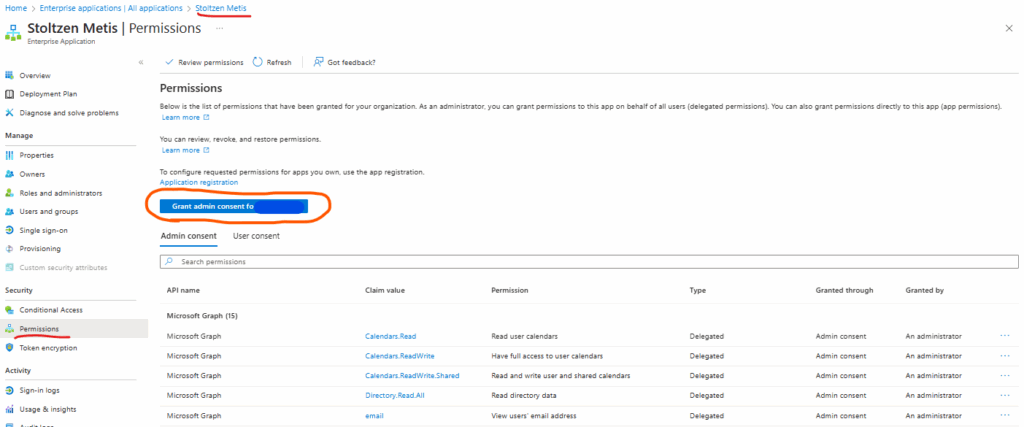
– Log into Azure portal
– Select “Entra-ID” in the menu
– Select “Enterprise applications”
– Selcet “Stoltzen Metis” application
– Select “Permissions” and press the blue “Grant admin consent for (Copmpany)”
3. Configure group/users for access
Please make sure that step 2 is done and all is working as expected.
MS365 Global Admin needs to follow these simple steps:
– Create a security (Or use and existing) group in Entra-ID.
– Add users that should have access to RoomConfig console to this group.
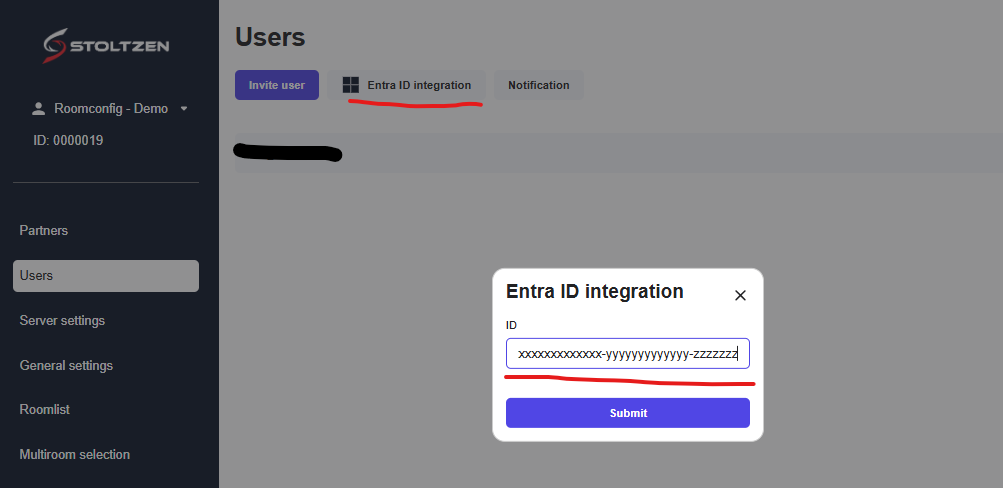
– Select Users menuitem in RoomConfig console.
– Add the group ID in “Entra ID integration