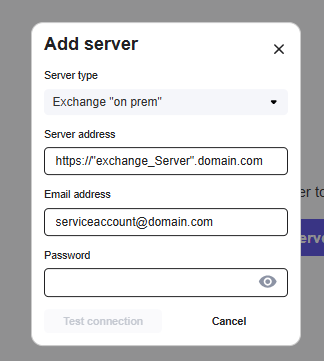
To connect the portal to you “on-prem” Exchange environment it is required that your Exchange environment is reachable from internet. The EWS endpoint need to be publicly available. (https://”your_mail_server”/ews/exchange.asmx)
To configure the connection just enter the Exchange server URL. Service account username and password. Then “test server” if ok, then connect.